On this page
- The green panel
- How an average lies: 100 requests
- Percentiles: p50, p95, p99, p999
- Who cares about p999?
- Tail latency amplification: the 63% arithmetic
- Averages lie in both directions
- Computing percentiles without fooling yourself
- Never average percentiles
- Prometheus and HdrHistogram
- Coordinated omission
- Taming the tail
- Talking to the boss
- Turning it into an SLO
- Closing: ask about the tail
- Practice questions
The green panel
Monday stand-up. The Grafana panel on the wall says average response time: 150 ms, green, comfortably under our 200 ms line. Two messages down in the support channel: “checkout spins for like three seconds sometimes, is the app broken?” I said what any backend engineer who has just seen a green panel says: the numbers look fine, probably their network. Then someone shared a screen recording. Three seconds of spinner, in a system that was reporting 150 ms. Both things were true at once, and that is the whole post.
This is the third post of my notes on Martin Kleppmann’s Designing Data-Intensive Applications (chapter 1 in the first edition, the section on describing performance). The idea fits in one sentence: an average describes a customer who does not exist. If you measure latency, measure it with percentiles, and remember that the slow tail does not stay put, it gets multiplied every time one page calls several services.
- what the dashboard showed
- 150 ms
- what the user felt
- 3 s
- pages hit by a p99 call, with 100 calls
- 63%
- sales lost per extra 100 ms (Amazon)
- ~1%
How an average lies: 100 requests
Let me make the lie concrete with a toy sample you can check by hand. One hundred requests to the checkout endpoint, sorted from fastest to slowest. Most are quick, a handful are slow, two are terrible, which is roughly how real systems look.
| Rank in sorted order | Latency each | Count | Total time |
|---|---|---|---|
| 1 to 80 | 40 ms | 80 | 3,200 ms |
| 81 to 92 | 100 ms | 12 | 1,200 ms |
| 93 to 98 | 500 ms | 6 | 3,000 ms |
| 99 | 3,000 ms | 1 | 3,000 ms |
| 100 | 4,600 ms | 1 | 4,600 ms |
Total time is 15,000 ms over 100 requests, so the mean is exactly 150 ms, the same number the dashboard showed. Now read the percentiles off by counting along the sorted list:
| Statistic | Value | Who actually experienced it |
|---|---|---|
| Mean | 150 ms | Nobody. The values present are 40, 100, 500, 3,000, 4,600. |
| p50 (median) | 40 ms | The typical request. The 50th in order. |
| p95 | 500 ms | Roughly 1 in 20 waits this long or more. The 95th in order. |
| p99 | 3,000 ms | Roughly 1 in 100 (here 2 of 100). The 99th in order. |
| Max | 4,600 ms | The worst user of the hour. |
Read the first row twice. No request in the sample took 150 ms. The mean is the arithmetic of a customer who is part fast, part catastrophic, and who never walked in. Eighty percent of users got 40 ms, which is better than the dashboard says; two users got a result they will remember for a week, which is much worse. The average is the centre of mass of the distribution, not a position anyone stands in.
-- PostgreSQL: percentiles of the last hour, straight from a request log
SELECT
  count(*)                                                  AS n,
  round(avg(ms))                                            AS mean_ms,
  percentile_disc(0.50) WITHIN GROUP (ORDER BY ms)          AS p50_ms,
  percentile_disc(0.95) WITHIN GROUP (ORDER BY ms)          AS p95_ms,
  percentile_disc(0.99) WITHIN GROUP (ORDER BY ms)          AS p99_ms
FROM request_log
WHERE route = 'POST /checkout'
  AND ts > now() - interval '1 hour';
-- percentile_disc returns a value that really occurred (nearest-rank, 3000 for our sample).
-- percentile_cont interpolates between neighbours (3016 for our sample): smoother, but not a real request.Percentiles: p50, p95, p99, p999
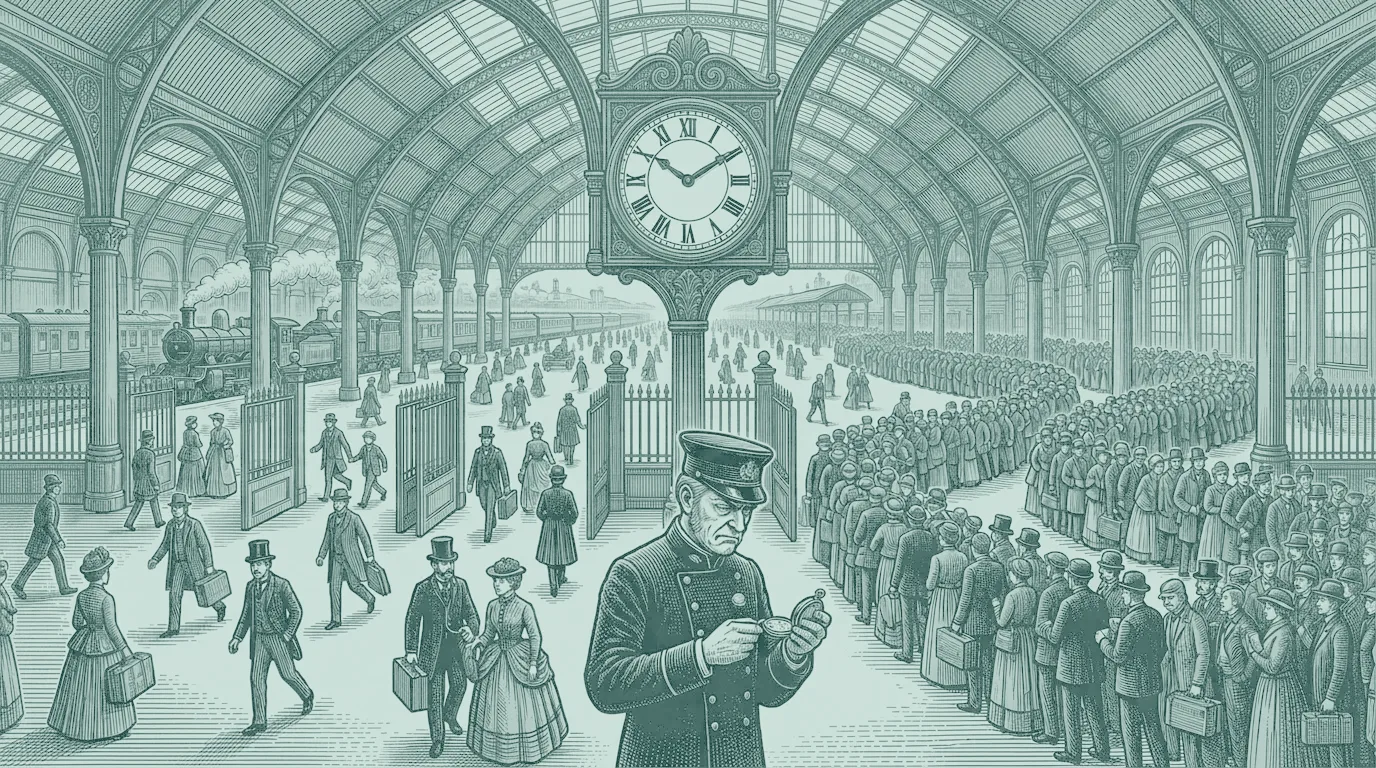
So what do we read instead? Picture a railway station at rush hour. Twenty gates, and the stationmaster stands under the big clock timing how long each traveller takes to get through. If he writes down one number for the morning, “the average passenger took 40 seconds”, he is describing nobody: most people were through in 15, and a few were stuck at the one gate where the ticket machine jammed for ten minutes. A better report lines everyone up by how long they took and reads off positions in the queue. Position 50 of 100 is the typical traveller. Position 99 is the unlucky one.
That is a percentile. Sort all response times from fastest to slowest; the pN value is the time below which N% of requests fall, so (100 − N)% are slower. The names you will meet:
- p50, the median: half the requests are faster. It is the best single number for “what is typical”.
- p95, p99, p999: the levels that 5%, 1% and 0.1% of requests are slower than. Together they are the tail latency.
- Reading it back: if p50 is 200 ms but p99 is 4 s, then one request in a hundred waits four seconds. A user who browses a hundred pages will on average meet that wait once, and has a 63% chance of meeting it at least once.
Who cares about p999?
Amazon, famously. The book describes how they specify internal service requirements at the 99.9th percentile, even though that touches only one request in a thousand. The reasoning is the part I found striking: the customers with the slowest requests are often the ones with the most data on their accounts, which means the ones who have bought the most, the most valuable customers. Their pages are slow because they are big, and they are exactly the people you cannot afford to annoy. The book also mentions Amazon’s observation that a 100 ms increase in response time reduces sales by around 1%.
The honest counterpoint, also in the book: pushing to p9999 gets expensive fast, and at some point the slowness is caused by random events outside your control (a GC pause, a packet drop, a page fault), so the gain no longer repays the cost. You choose the percentile your business actually cares about.
Tail latency amplification: the 63% arithmetic
Now the part that made me put the book down and open a calculator. Suppose a service is perfectly healthy by your own standard: its p99 is one second, so 99% of calls are faster. Fine. But a modern page does not call one service. A product page might call pricing, stock, reviews, recommendations, the profile, an ad slot, a feature-flag service: dozens to a hundred backend calls, usually in parallel. The page is only finished when the slowest call comes back.
Each call has a 99% chance of being fast, and they are independent. The chance that all 100 are fast is 0.99 multiplied by itself a hundred times. So the chance that at least one is slow is the complement:
// P(at least one of n independent calls lands in the slowest (1 - q) fraction)
const hitTail = (n: number, q = 0.99) => 1 - q ** n;

hitTail(1);          // 0.010  -> 1.0%
hitTail(10);         // 0.096  -> 9.6%
hitTail(100);        // 0.634  -> 63.4%   <- the headline number
hitTail(100, 0.999); // 0.095 -> 9.5% <- the same page with p999 backends| Calls per page | Backends at p99 | Backends at p999 |
|---|---|---|
| 1 | 1.0% | 0.1% |
| 10 | 9.6% | 1.0% |
| 50 | 39.5% | 4.9% |
| 100 | 63.4% | 9.5% |
| 200 | 86.6% | 18.1% |
| 500 | 99.3% | 39.4% |
So each service, judged alone, looks fine. Put them behind one page and the page is slow most of the time. This is tail latency amplification, and it is the reason the book wants you to look at percentiles of the thing the user touches, not of the parts. It is also, as a side effect, one reason a microservice architecture can feel slower than the monolith it replaced: every extra service on the page is another draw from the lottery. (The same multiplication hides in the read path of a timeline, see post 01.)
Averages lie in both directions
So far the average has been too optimistic. The book’s point is wider: it is distorted by outliers in both directions, which is why it is a poor basis for either comfort or alarm.
- Up, false alarm. A batch of 10,000 requests at 40 ms, plus one stuck request that took 60 seconds, has a mean of 46 ms. The alert fires; the users are fine. One bad row in a log moved your headline number by 15%.
- Down, real pain hidden. Say a million health-check pings take 1 ms each and ten thousand real checkouts take 800 ms. The mean is about 9 ms. A dashboard that mixes both reports a healthy system while every real customer waits most of a second.
That second case teaches a bonus lesson. The real requests are 10,000 out of 1,010,000, which is 0.99%, just under the 1% line, so even the p99 of that mixed pool is 1 ms. Percentiles are not magic; they inherit whatever you pour into the histogram. The fix is to slice by route (checkout, search, health) and never let the cheap traffic water down the expensive one.
Computing percentiles without fooling yourself
Never average percentiles
The most common mistake I see: each server reports its own p99, and the dashboard shows the average of those p99s as “the” p99. It is mathematically meaningless. Suppose server A handled 9,000 requests with a p99 of 120 ms and server B handled 1,000 requests with a p99 of 2,400 ms. The average of the two is 1,260 ms. The real p99 over all 10,000 requests depends on the full shape of both distributions, and no function of those two numbers can give it to you. The same goes for averaging per-minute p99s into an hourly one.
The right move is to merge the distributions, then take the percentile. That means each server ships a histogram (counts per latency bucket), histograms add together bucket by bucket, and you read the percentile off the merged histogram.
Prometheus and HdrHistogram
With Prometheus, expose a histogram metric and let the query do the merging. Note the order: sum by (le) adds the bucket counters across all instances first, and only then does histogram_quantile interpolate.
# Right: merge the buckets of every pod, then take the 99th percentile
histogram_quantile(
  0.99,
  sum by (le) (rate(http_request_duration_seconds_bucket{route="/checkout"}[5m]))
)

# Wrong: a p99 per pod, then an average of p99s
avg(
  histogram_quantile(0.99, rate(http_request_duration_seconds_bucket{route="/checkout"}[5m]))
)
Two caveats. First, histogram_quantile interpolates linearly inside a bucket, so its accuracy is limited by your bucket boundaries: if your top buckets are 1 s and 10 s, a p99 of “somewhere between” is all you get. Place a bucket edge at every threshold you promise (say 0.5 s for the SLO) and add a few more around the tail. Second, pre-computed summary quantiles on each instance cannot be merged at all, which is the reason to prefer histograms for anything you aggregate.
For application-side measurement, HdrHistogram is the usual tool: it records values over a huge range (nanoseconds to hours) with a fixed relative precision, say three significant digits, in a small, constant amount of memory, and two histograms can be added together.
Histogram a = new Histogram(3_600_000_000L, 3); // track up to 1 h in microseconds, 3 significant digits
Histogram b = new Histogram(3_600_000_000L, 3);
a.recordValue(micros);          // on every request in service A
b.recordValue(otherMicros);     // on every request in service B

a.add(b);                       // merge: bucket-wise addition
long p99 = a.getValueAtPercentile(99.0);   // a true p99 of both populations
Coordinated omission
One last trap, for anyone who load-tests. A naive benchmark sends a request, waits for the answer, then sends the next. When the server stalls for five seconds, the generator also stops sending for five seconds, so the hundreds of requests that would have queued up behind the stall are never issued and never measured. The result: a flattering p99 produced by a client that politely stopped asking. This is called coordinated omission (Gil Tene’s term). The cure is to send on a fixed schedule independent of the responses and time each request from the moment it should have been sent; wrk2 does this for HTTP load, and HdrHistogram has recordValueWithExpectedInterval to back-fill the missing samples.
Taming the tail
Beyond the book. Once you can see the tail, what do you do about it? The book tells you why it hurts; the following techniques are the ones I have seen work or read about in Dean and Barroso’s “The Tail at Scale”. They are beyond the book, and each has a price.
- Hedged requests. Send the call to one replica; if no answer arrives within about the call’s own p95, send a duplicate to a second replica and take whichever returns first, cancelling the other. Only for idempotent reads. The paper reports a dramatic p999 improvement for only a couple of percent of extra requests in its BigTable experiment (I am quoting from memory, so check the numbers). The cost is extra load and the need for real cancellation.
- Timeouts with budgets. A call without a timeout inherits the worst behaviour of whatever it calls. Set per-call timeouts near the backend’s p99.9, propagate one overall deadline down the chain, and cap retries (a retry budget of about 10% of traffic) so that a timeout storm does not become a second outage.
- Fewer serial hops. Latencies of calls in a chain add, and so do their tails. Remove hops that exist only for tidiness, cache what rarely changes, and call independent things in parallel. The trade-off is the fan-out arithmetic above: parallel calls cap the sum but raise the chance of hitting a tail, so keep the fan-out as small as the page honestly needs.
- Degrade instead of waiting. Give the optional parts of a page (recommendations, ads) a short deadline and render without them when they miss it. The customer sees a slightly plainer page now rather than a perfect one in three seconds.
Notice what is missing: “make every service faster on average”. Shaving the mean does almost nothing for the tail, because the tail is usually caused by something different from the typical path (a cold cache, a GC pause, a noisy neighbour, a queue that filled up, a lock wait on a hot row, a compaction stall in an LSM-tree).
Talking to the boss
Back to the stand-up. My boss said the 150 ms dashboard was great and asked why users still complained. My instinct at the time was not yet a vocabulary but it was right: I need to see how slow the slowest requests are; if they are near 150 ms it is fine, if they are two or three seconds, we must do something. That instinct is percentile thinking in plain clothes. The words I would use now:
- “The average is pulled down by the majority of fast requests, so it cannot show the slow ones.”
- “I propose we look at the histogram and at p95 and p99 instead.”
- “If p99 is 3 seconds, then 1% of usage each day is a bad experience. Users forget the 99 smooth ones and remember the one that lagged.”
- “So let’s write a goal on the tail, for example p99 under 500 ms.”
Turning it into an SLO
That last sentence is a service level objective (SLO), and the book mentions that SLOs and SLAs are commonly written as percentiles for exactly this reason. A well-formed one names the route, the percentile, the threshold and the window: 99% of POST /checkout requests complete in under 500 ms, measured over 28 days. Equivalent view: the error budget is the remaining 1%. If 1.4% of requests were slower than 500 ms across the window, you have overspent a 1% budget and reliability work goes ahead of features. This framing (and the budget idea) is standard SRE practice rather than something in the book, but it is what turns “users are complaining” into a number a team can plan around.
# Fraction of /checkout requests faster than 500 ms over the last 28 days
# (needs a bucket edge at exactly le="0.5")
  sum(increase(http_request_duration_seconds_bucket{route="/checkout", le="0.5"}[28d]))
/
  sum(increase(http_request_duration_seconds_count{route="/checkout"}[28d]))
# SLO met when this value >= 0.99Closing: ask about the tail
When someone tells you the average, ask: and what does the tail look like?
My mantra since that Monday
If you keep four things from this post: the mean describes nobody; p50 is the typical user, p99 and p999 are the tail, and the tail is where your most valuable customers often live; a page that calls 100 services at p99 is slow 63% of the time; and percentiles must be merged from histograms, never averaged. I added one more rule on the side: slice by route, and test with a client that does not politely wait. The Grafana panel is still green on that wall. I just stopped reading it alone: p99 sits beside it now, and it is the number that would not let me say “probably their network”. Next up, post 04 goes under the hood: why a database is fast or slow at all, LSM-tree versus B-tree.
Practice questions
- 10,000 requests, p99 is 2 seconds. Roughly how many took longer than 2 seconds? (About 100. I got this one right while reading.)
- A page makes 50 parallel calls to backends whose p99 is 300 ms. What fraction of page loads is at least that slow? (1 − 0.99^50 ≈ 39.5%.)
- Your dashboard shows the average of per-server p99s. What is wrong, and what would you change? (Meaningless; export histograms and merge them.)
- Your boss says “average 150 ms, we are fine”. What do you reply? (Ask for the histogram and p95 and p99; propose an SLO such as p99 under 500 ms.)